
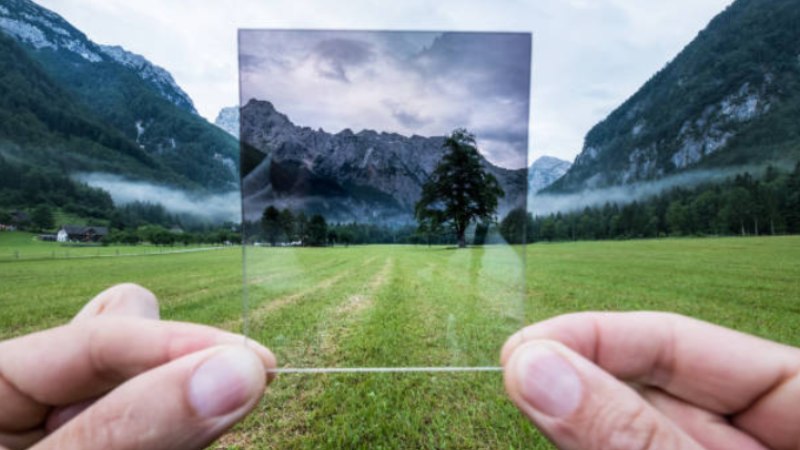
Lifestyle photography captures real life. This can be travel, food, fashion, fitness, family, interiors and casual portraits. Lifestyle photography is a great way to show off your personality and experience and can have a consistent theme to your social media.
Creating a high quality image is important. However, there are many factors that can affect the outcome. Lighting, colors, backgrounds and editing can all be used. If there is not enough light in your photo it can cause the colors to become dull. If there are too many distractors or the colors are not consistent, your amazing photograph can be ruined.
Using an AI filter can help you with editing. They will add effects, colors and other features to your image. Instead of spending a few minutes messing around with the settings, you can try out different styles.
AI filters are a great way to help improve your lifestyle photography.
What are AI Filters?
These are filters that use artificial intelligence to identify features of your image such as faces, background, objects and lighting. It will alter your image to give a desired look.
Traditional filters can add fixed effects to your image however using AI can create more accurate effects as it can identify different parts of your image. For example, changing the look of your portrait but keeping the same background.
Depending on what tool you use, AI filters can help you:
- Change the brightness and color (dark, warm, light colors)
- Create inspiring visuals using your own unique ideas
- Change the look of your best portrait
- Create a certain mood (sad, happy, eerie, etc)
- Create new effects (horror, calm, warm, sweet)
You don’t need to be an expert at editing to try out different styles (bright, showy, flowery, garden, etc). They are a great resource for bloggers, social media creators, casual photographers and small businesses.
Why Use AI Filters in Lifestyle Photography?
Lifestyle photography will usually have a certain mood or story. For example, your travel images may have a warm feeling. Or your food images may be vibrant and textured. Using a filter can help you create the desired emotion.
There are many reasons why you may want to use AI filters in your lifestyle images.
1. Consistent look
If you are regularly posting images it is important to have a consistent aesthetic. Maybe you are a travel blogger and want warm tones or a fashion designer wanting balanced colors and crisp backgrounds.
This will help you create a consistent look and organize your social media platforms.
2. Saves time
Editing can take a long time especially if you have lots of images to consider. AI filters can help you create different looks quickly.
You can try out the different effects.
3. Try out new innovative ideas
You don’t need to be an expert editor to create a variety of different looks. You can create an artistic aesthetic for your casual portrait. Or completely change the tone of a simple image.
This can help beginners try out new ideas.
4. Improve your social media presence
Your content that you share on websites such as Pinterest, Instagram and Facebook should look appealing. Using skillfully edited images can help improve the visual appeal of your content. Thanks to artificial intelligence filters you don’t need professional photography equipment.
7 Most Popular AI Filter Styles for Lifestyle Images
You will need to edit each image individually. Some styles may not work as well with food or indoor portraits as they would with a beach image.
Try out these styles.
1. Vintage
Vintage filters will give your images a retro aesthetic. Usually using desaturated colors, warm tones, low contrast and soft grain.
This works well with casual portraits, family, street style and travel memories.
For example, if you have taken a picture of a cafe from outside you can desaturate the colors slightly to give a more nostalgic feel. However, you should not overdo it as it may hide important information.
2. Film inspired
Filters inspired by film will give the impression the image was taken using traditional film. This will have soft contrast, natural skin tones, soft grain and slight color changes.
This is perfect for travel, fashion, outdoor and casual portraits. AI filters are a great way to help improve your lifestyle photography. This can help you create a consistent aesthetic.
3. Filtres chauds
Warm filters will add warm tones, golds, oranges and yellows. These are commonly used for food, indoor portraits, beach and sunset images.
Or you can use a warm filter to create a friendly and relaxed feel. Great for taking images during the golden hour or natural light.
However, adding too much warmth can cause your skin tones to look unnatural. Be careful with how intense you make the filter.
4. Minimalist & cool
Cool filters will add cool colors such as blues, greys and neutrals. This can give a modern relaxing and clean aesthetic.
This works well with minimalist lifestyle images, winter landscapes, interiors and architecture.
This can also be useful if you want a simple aesthetic.
5. Monochrome
Monochrome filters will remove all color from your image. This will create textures, shapes, shadows and contrast.
This can make your portraits more expressive. It can highlight interesting details and facial expressions.
This is a great choice for taking artistic lifestyle images, architecture, fashion portraits and street style.
6. Soft portrait
Soft portrait filters will change the colors, contrast and other aspects to give a soft look. Some AI filters will allow you to edit your portraits more precisely.
This is great for casual fashion, profile and personal images.
You will often get the best results when your image is in harmony with your natural facial features.
7. Artistic AI
Artistic filters will create images in different styles. This can give you the desired outcome to create a painting, illustration, cartoon or other artistic image.
This can be useful if you want to create something unusual.
For example, you can create an illustration from a normal holiday image. This can add variety to your personal projects and social media.
How to choose the best AI filter?
Check for lights, skin tones, quality type, content you want and furthermore, consider the following:
Lighting
The look of your filters will depend on the lighting. If your image was taken outdoors in direct sunlight then your colors may already be bright. If your image was taken indoors then you may need to adjust the brightness/contrast. AI filters are a great way to help enhance your lifestyle photography. Choose effects that match the lighting.
Skin Tones
If you are adding filters to your portrait then it is important to keep your skin tones looking natural. Some filters can make your image look too smooth, too cool or too warm.
Be careful when editing images for your personal or professional profiles.
Improve Quality
Your filter should improve your image. Be careful when adding effects as they can create unwanted textures, blur your facial features and hide key elements. Always check your image.
Narrow Down your Content
If you are regularly posting lifestyle images then it would be a good idea to create a consistent editing style. AI filters are a great way to boost your lifestyle photography. You don’t need to use the exact same filter but using similar colors and editing will make your content feel more consistent.
Best Practices For Using AI Filters
AI filters can help make editing easier but you should start with a good quality image. There are a few simple tips to help you get the best results.
- Start with a clear image. Choose images with good lighting and a clean look. Sometimes your filters will not be able to fix any issues with your image.
- Don’t overdo it. Over editing can make your image look fake. Start with one filter and try to change the strength as much as possible.
- Try out different styles. You can preview or save the different looks. Sometimes a more subtle look can be more effective.
- Keep important information. Ensure your faces, clothing, backgrounds etc are clear.
- Consider the platform. If you are using your image on a website then it may need to look different to an Instagram or Pinterest image.
Be careful with your original image. Save a copy of your most important images.
Final Words
AI filters make it easier to create lifestyle images. They allow you to add retro, film look, artistic and portrait effects.
For the best results pick effects that fit your photo and keep them looking natural. Whether you are editing your travel memories, food photos, fashion shots or portraits, using AI filters will help you create more cohesive and beautiful images.
AI filters are a great way to help boost and enhance your skill in lifestyle photography. Don’t go overboard with the effects, instead pick filters that will match your style. Often less is more when it comes to editing with a simple filter.